

Dried-Out Phone: How to Spot Hidden Water Damage
You can walk into a deal with a phone that looks perfect — or you can learn to read the three physical tells that expose water damage even after the phone has been dried, cleaned, and factory reset.
The fork hidden inside every used phone
Two Samsung Galaxy S23s sit side by side. Same model, same storage, same cracked-free screen. One was never wet. One spent forty minutes in a sink six months ago. From the outside, they look identical. The difference lives inside, and it changes the value by hundreds of dollars. Your job is to find it before money changes hands.
The indicator strip nobody thinks to check
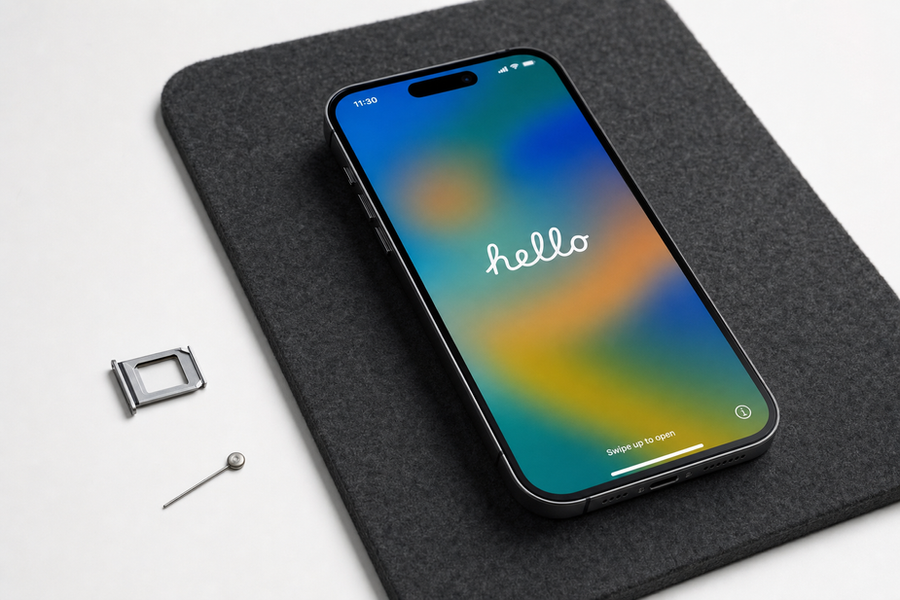
Every modern phone has a liquid contact indicator — a tiny white strip that turns red or pink permanently when water touches it. On most Samsung Galaxy models, it sits inside the SIM card tray slot. Eject the tray with a pin and look into the cavity with your phone's flashlight. White means dry history. Any pink or red stain means water got in, regardless of how the phone performs today. Apple puts the same strip in the Lightning or USB-C port on iPhones, though it's harder to see without a bright light and a slight angle. This strip cannot be reset or bleached back to white — it's a permanent record.
What the charging port tells you
Slide a flashlight beam into the charging port at a low angle. A phone that was never wet shows clean metal pins, maybe a little pocket lint. A phone that dried out after water exposure shows something different: a faint greenish or white mineral crust on the pins — corrosion left behind when water evaporated. That residue is not always visible to the naked eye, but if you tilt the phone and catch the light right, it glitters. Corrosion in the charging port means the damage is already progressing internally, even if the phone charges fine today.
A-1 Trade & Loan on Commercial Drive sees this pattern regularly — a Galaxy that charges and powers on without any obvious issues, then fails a month later when the corrosion finally reaches the logic board.
The battery health number that changes the math
Water damage accelerates battery degradation faster than normal use does. A phone that spent time wet and dried out often shows battery health well below what its age suggests. Pull up Settings, then Battery, then Battery Health. A two-year-old phone in clean condition typically holds 85 percent or higher. A two-year-old phone with water history often reads 75 percent or lower — sometimes much lower. That number is not just a convenience metric. It directly affects what the phone is worth, because replacing a battery costs money and time, and buyers know it.
When a wet phone is still worth buying
The fork tips in your favor under one condition: the water damage is old, the phone is fully functional, the indicator strip is your only evidence, and the price reflects the risk. A phone priced like a clean unit with a pink strip is a bad deal. The same phone priced a hundred dollars lower might be a reasonable one, especially if battery health is still above 80 percent and the charging port shows no corrosion. The exception collapses the moment the phone shows two or more damage signals at once — strip plus corrosion, or strip plus low battery health. Multiple signs mean the damage spread.
How to make your call
Check the SIM tray slot first — it takes ten seconds and a pin. Then angle a light into the charging port. Then open battery health in settings. If all three come back clean, the phone's water history is probably zero. If any one of them flags, the price needs to drop to match the risk. Before you bring a phone to the counter, screenshot the battery health screen and keep the SIM tray ejected so the indicator is visible — those two things answer the most important questions before anyone asks.


Comments